Thursday, April 22, 2010

3 Blogger Gadgets Every Blog Should Have

My name is Kim, and I am addicted to blogging gadgets.

On a recent Wednesday, I spent more than two hours researching gadgets for this blog (and I must also admit, for my personal blog, too). Blogger gadgets can be added to your blog sidebar and allow you to add content that will essentially "stay put" – and not move down the page and into the archives like blog posts do.

When you create a new blog in Blogger, the only standard gadgets added to your blog are Followers, Blog Archives and About Me. For me, it just wasn't enough – thus the two-hour research.

Here are my top three favorite gadgets for my blog, along with instructions on how to install them on your own blog.
 

Note: All of my instructions below are for Blogger, so the process for Wordpress will be different. Feel free to comment below with any links to how to add these types of gadgets to your Wordpress blog.
 

1. Labels
Every good blogger knows that you should assign labels (or tags) to each of your posts. It helps with search engine optimization, but it also helps your readers pinpoint specific content. For example, if you visit this blog and only want to access posts related to Facebook, you can click on our "Read By Topic" List (on the left) and just click Facebook to read only those posts. To the reader, it's a super helpful navigation tool.
To add this gadget, To add this gadget, go to your blog dashboard, select Layout, then Page Elements, then "Add a Gadget." In the pop-up window, select Labels. Once the gadget was added, we changed its name to "Read By Topic" – but Labels works fine, too. Don't forget to hit Save.
 

2. Subscription Links
As an avid user of iGoogle, being able to subscribe to RSS feeds is muy importante for me. This gadget allows anyone who visits your blog to subscribe to posts through their RSS reader – iGoogle, GoogleReader, Netvibes, etc.
To add this gadget, follow the same process as you did for Labels, but this time, click on Subscription Links.
 

3. Subscribe Via E-mail
 
Every blogger wants their posts to be read by someone. But for those potential readers who don't necessarily subscribe to RSS feeds, they need a way to stay in touch, too. Enter e-mail subscriptions.
This gadget isn't available through Blogger (yet!), but I used Feedburner to add mine. Here are the step-by-step instructions.

With all gadgets, you can drag them around on your Layout page to put them in a different order. Just always remember to hit Save!

Blogger gadgets – especially the ones provided by Blogger – can add a lot to your blog. You can add polls, current headlines from Google News, lists of websites you like, info boxes and much more. The right ones for you largely depend on the purpose of your blog and your individual needs.

What Blogger gadgets do you use? Are there any you've tried but then deleted?

Wednesday, April 21, 2010

Social Media: The Age of Attention

As a culture we've completely immersed ourselves in this digital world, begging to be noticed. Some of us are in way over our heads simply trying to stay afloat (see also: checking into Foursquare every time you leave the couch), while others are standing in puddles not only confused as to where they are, but also are wondering what it is exactly that they're standing in (see also: your mother leaving you voicemails telling you that she just joined 'the twitters' and needs your help – great).

The bottom line is that everyone has a story that they want to tell...only they don't just want to say it to just one person – they want to yell it to the world.

So, before you plant your social media seeds that you got by trading the old cow that your mother told you to go sell at the market, you have two very important things to consider: what is your message and who is your audience.

Thought that was the hard part? Think again. Now you have to figure out the best way to get that message to your audience.

There are more social media sites out there than there are pizza-topping combinations at Domino's. So, you'll have to do a bit of research - because just like pizza toppings, everyone has different taste.

Sure, some are more popular than others, but that doesn't mean that the others are necessarily bad. Everyone has their own personal needs and it all comes down to your own personal preference. Sometimes less is more and other times more is better. You have to choose what works best for you.

... after all, this is your story.

Tuesday, April 13, 2010

Can I Turn a Facebook User with Friends into a Page with Fans? [Q&A]

Question: If I already have an existing Facebook user profile with friends, can I convert it into a page with fans?

Answer: Not exactly. But in addition to having so much more opportunity to market a Fan Page, there is a 5,000-friend limit for Users, and no business wants to turn away a friend. Plus, Fan Pages have great analytics, so you can also easily monitor the success your Facebook efforts.

Unfortunately, you have to start your new Fan Page from scratch – Facebook currently will not allow you to take your friends and content with you. However, it's a great idea to use your User Profile account to create the Fan Page. Fan Pages must be tied to a User account (called an Admin), and this way you can recommend to your current friends that they become fans of your new Page. (There can be more than one Admin on a Fan Page.)


Once your Page is set up, use the Suggest to Friends button under the Page's profile photo to invite your friends. You should also use the User account to post status updates that you are moving activity from the User Profile to the new Fan Page. Just keep directing your friends via the User Profile, and over time you should get your numbers back up to where they were – or even higher than ever before.

Monday, April 12, 2010

Social Media and the Wisdom of Crowds

Recently, I was lucky enough to attend a really engaging Internet marketing seminar at Vanderbilt University on behalf of Journal Communications. One of my biggest takeaways from the session, by veteran online marketers Erick Goss and Corey Cleek, was to give a little more thought to the idea of "the wisdom of crowds."

The concept comes from a book of the same name by New Yorker columnist James Surowiecki. Basically stated, the theory is that "large groups of people are smarter than an elite few, no matter how brilliant." Need real-life proof? Of the three "lifelines" on the game show Who Wants to be a Millionaire, the one that's most often correct is the option that lets the contestant poll the audience for help.

But how about social media proof? Simple--it's all around us. Crowd wisdom can help you buy the right toaster on Amazon, find new movies at Netflix and pick a restaurant at Yelp. As the crowd sends out its daily headlines and news links on Facebook and Twitter, the collective wave can clue us in -- in real time -- to what's important that day.

Is it time to get in on the conversation? Never before have there been more opportunities for organizations to hear from their audience, and never has it been more important to know what those people are saying. For better or worse, your crowd is already talking about you. Tap into their wisdom and you're bound to learn something worthwhile.

Thursday, April 8, 2010

Using Facebook Widgets to Your Advantage

So you're company is on Facebook. Great! But are you getting the most out of Facebook? Remember, Facebook is totally free and has over 300 million users, so why not make the best of an already great situation by using its tools to your advantage? One way to do this is by utilizing Facebook's widgets.

Available widgets and how to set them up
can be found here, but here's a quick break down of what they do and what they can accomplish:

Share Button - This allows people to post content from your site back to Facebook. This is one of the most commonly used widgets out there and you'd be hard-pressed to find a site that wasn't using this
(or other share tools.) But why use this feature instead of just letting the reader copy and paste a link whenever they feel inclined to do so? With the Share Widget, you're not just making it easier for people to share content from your site on Facebook, but you're subtly suggesting they share it as well. Additionally, even if that shared content isn't clicked on in Facebook, people still see the URL its coming from. That alone serves as an excellent branding opportunity because whether people were looking for your website or not, it just made an impression. There's also the added benefit of being able to share that content without navigating away from your site.

Fan Box - This widget is a great way to let visitors to your website know that you have a Facebook page. It provides a small stream of current status updates from your Facebook page and has a "Become a Fan" button so people can "fan" you right then and there while still staying put on your site.
Here's a great tutorial we put together on how to add this widget to your site.

Page Badge - Think of a Page Badge as a toned-down version of the Fan Box widget. It too is made to go on your site and it too let's people know that you have a Facebook page. However, it doesn't contain a feed and it doesn't have the "Become a Fan" button. Instead, it's a cleaner, simpler presentation that contains just the basics: your page name, most recent status update, and the number of fans you have.


Twitter Link - Why post to two places when you can simply post to one? Twitter Link allows you to send your Facebook updates to Twitter automatically. This is a great time-saving tool, and you might just roundup some followers on Twitter who fan you on Facebook. Don't want to send everything you post to Twitter? No worries - you can adjust the settings when you link the two accounts.


With just a few clicks of your mouse and a little copying and pasting, you'll be well on your way to driving traffic back to your website, increasing the number of fans you have on Facebook, and saving yourself a little bit of time!

Monday, March 29, 2010

Learning to Love and Leverage LinkedIn

Poor LinkedIn ... It may always be the buttoned-up-and-boring old dude compared to Facebook and Twitter, but that is precisely why it can be much more useful than other social networks for creating and nurturing professional relationships, establishing and shaping your personal brand and positioning your company as an authority among competitors.

LinkedIn seems to help the old people a wider range of ages feel more safe and comfortable than they do when lurking around participating in other social networks. It can be ideal for people who see value of joining the conversation, yet are not comfortable blurring the line between professional and personal contacts. On LinkedIn, the parameters are more set in that the conversations almost always are professional and industry specific. There is an ease associated with knowing even a tiny bit of what to expect, especially for social media newcomers.

Other cool things about LinkedIn:

- Unlike Facebook, there is no fear of being tagged in an unflattering photo.

- You do not have to question whether you want to "add" your mom.

- Unlike Twitter, there are several ways to reach out to your contacts without word count limits.

- No one is likely to ask you via LinkedIn to send them Mafia Wars items*.

* That's not to say you won't be asked for things; just keep in mind how much more valuable it is to your colleague to write them a professional recommendation versus helping them raise a barn or sending them a virtual sheep in Farmville.


I admit that I've been on LinkedIn for a few years and never bothered much with it until early 2010. I'd answer invitations to connect and send invitations of my own every few months. Besides joining a couple of groups, adding my blog url and providing basic career updates, I had done little else until our Content Operations department created the JCI Freelance Writers Group. The goal of this group was twofold: to create a single channel through which our department would share resources with our writers and to encouraging networking, conversation and resource-sharing among them as peers. So far, it has been a successful tool for us and our writers to share links about and discuss topics including online research, writing SEO-friendly headlines and copy, as well as other items. As the group develops, the possibilities seem to be endless for other applications.

The freelance writers group is just one way JCI already is using LinkedIn as a business tool; we also have a Journal Communications Inc. company profile established to represent our corporate identity on this channel.

If you have not yet created a LinkedIn profile, check it out and register. If you have a profile already, but have not maximized its potential (like me), here are two links to multiple resources that will help you do just that:

100+ Smart Ways to Use LinkedIn

Lara Kretler's LinkedIn Bookmarks

Thursday, March 25, 2010

Using Social Media To Control the Conversation


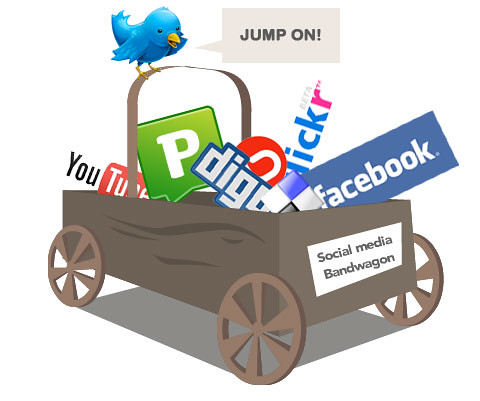
Many businesses hesitate to jump on the social media bandwagon because they're nervous. It's a far cry from sending out a press release or direct mailer. It's a different kind of networking from exchanging business cards in the elevator. It's something new, and it's something you cannot completely control. But as marketing strategist David Meerman Scott puts it, you have to lose control of your marketing in order for it to succeed.

To get started, many businesses and organizations want to know everything there is to know about social media and how to prevent anything that can possibly go wrong. However, the whole idea behind social media is that it's social. But sometimes business professionals need to be reminded of that – it's the people, the consumers who are in charge, not the business. When you have a presence and you're there to hear what they're saying, then you are there to steer the conversation.

Blogger Kaila Colbin recently wrote a great article for Media Post entitled Two Golden Rules For Companies On Social Media discussing why many businesses and organizations hesitate to start out in social media:
People will be complaining, in public, and these complaints will be visible to everyone, and other people who see those complaints might not like us anymore, and then the good times will be over. Providing a soapbox on which our customers can advertise their dissatisfaction runs counter to every protective instinct we have.

The problem, of course, is that those complaints are already being aired online. Anyone upset enough to go to your Facebook page and tell you what they don't like is upset enough to tell their friends and followers in your absence. Staying off social media doesn't stop the problem; it merely removes the discomfort of having to deal with it. Being on social media at least gives you the chance to respond.
But there are distinctive right ways and wrong ways to respond.

The wrong way: what's happening with Nestle on Facebook.
Whether overwhelmed or underprepared, the company went on a counterattack - trading insults with its own Facebook fans and ‘unfriending’ them. It deleted threatening posts and modified logos, and posted a warning to users in the hope that it would deter them from sharing their views. Once the online ‘bullying’ got picked up on Twitter, it went global.
Nestle's public image suffered because they didn't follow Colbin's golden rules:
1. Act With Integrity: The first rule isn't about turning your company into a group of enlightened monks or save-the-world superheros. Integrity is about being consistent. It's about (to use a horrible consultant phrase) living up to the brand promise. It's about making sure that what you see is what you get.
2. Admit Your Mistakes: We all mess up, especially on social media. But the optimal way to deal with a mistake is to admit it, take any steps necessary to correct the situation, and then move on.
Two companies that followed these rules, particularly #2, are Domino's and Southwest.

Dominos had some very bad publicity last year, which got started on YouTube, and so CEO Patrick Doyle responded in the same medium where the problem occurred – YouTube. The video isn't highly produced – it's straight, to the point, no frills. But it does the job effectively.

Similarly, Southwest came under fire in February after an incident in which director Kevin Smith tweeted about being kicked off a flight due to his weight. Southwest is very active in social media, and less than 20 minutes after his initial tweet, Southwest responded with an apology. And multiple blog entries. Ten years ago, maybe even five years ago, they would have used traditional media such as a press release or press conference that wouldn't have had the same immediate and personal effect. Today, Southwest helped recover from a negative situation by responding efficiently and appropriately – using the right social media tools.

Both of these companies, while facing PR nightmares, used social media to try to make things right. They went directly to the source of the situations and used these channels as best they could. And most of these are circumstances that smaller businesses and organizations will never have to face. But what you can learn from these examples is that you have to be here to respond to the smaller problems that come up day-to-day.

Comcast is a great example of what social media can do to to improve your customer service reputation. Their use of Twitter to respond to customer complaints – not even those directed to them – has really made them a standout among social media success stories.

But how do you start from scratch? Unfortunately, there is no simple way to do this other than diving right into social media, headfirst. Not to say you need to immediately go sign up for Twitter, Facebook, MySpace, Flickr, LinkedIn, Digg and YouTube today. But if you get online and spend a little time watching the conversations happen, you can quickly and easily start learning where your customers/clients/members are already located, which of the many (and there are many) social media tools are best for your particular purpose and how they can work to your advantage.


Photo: Matt Hamm